The collectors' companion

Build a stash
worth showing off.

What do you collect?

Track collectibles, scan items, import spreadsheets, organize your collection, export your records, build giftable wishlists, and share your favorite finds with anyone.

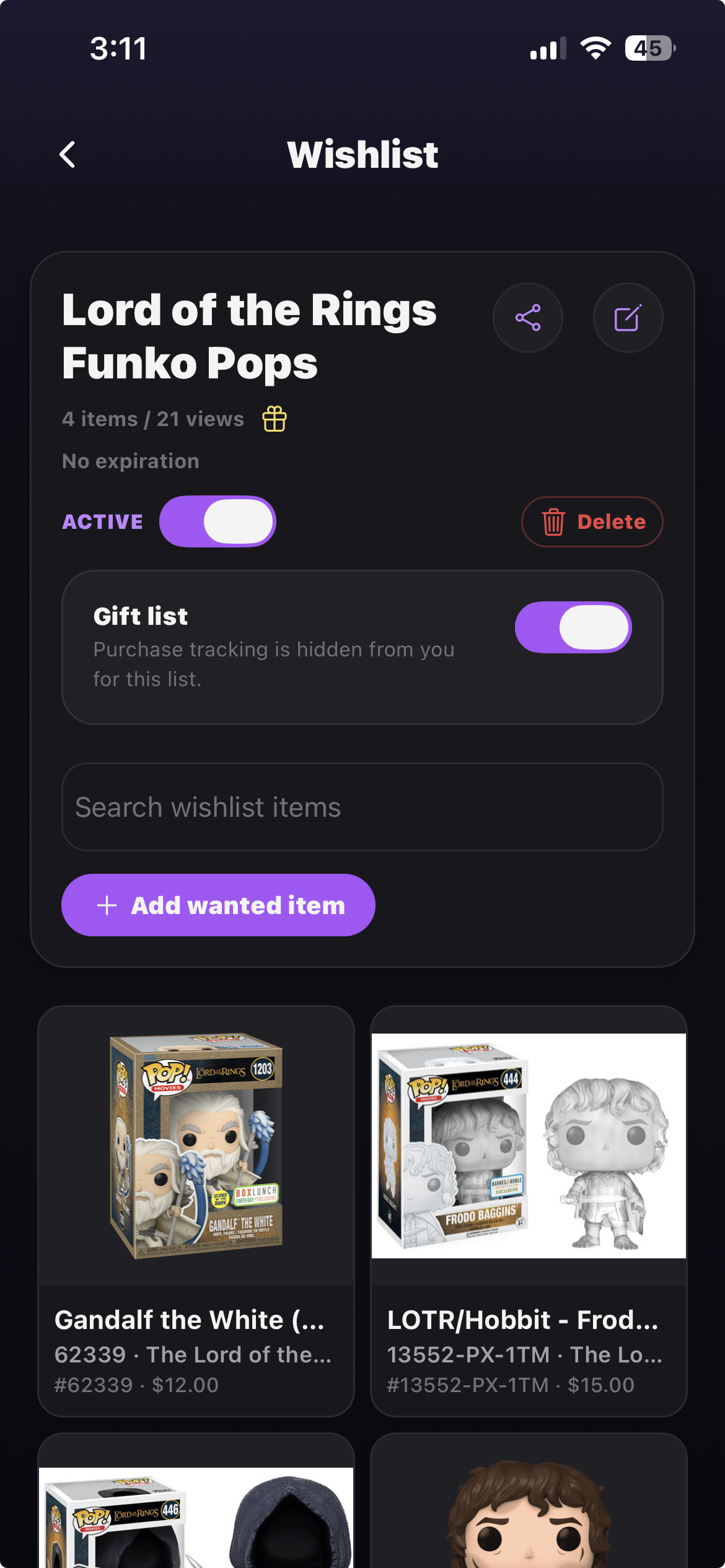
Stash-d gift wishlist screen
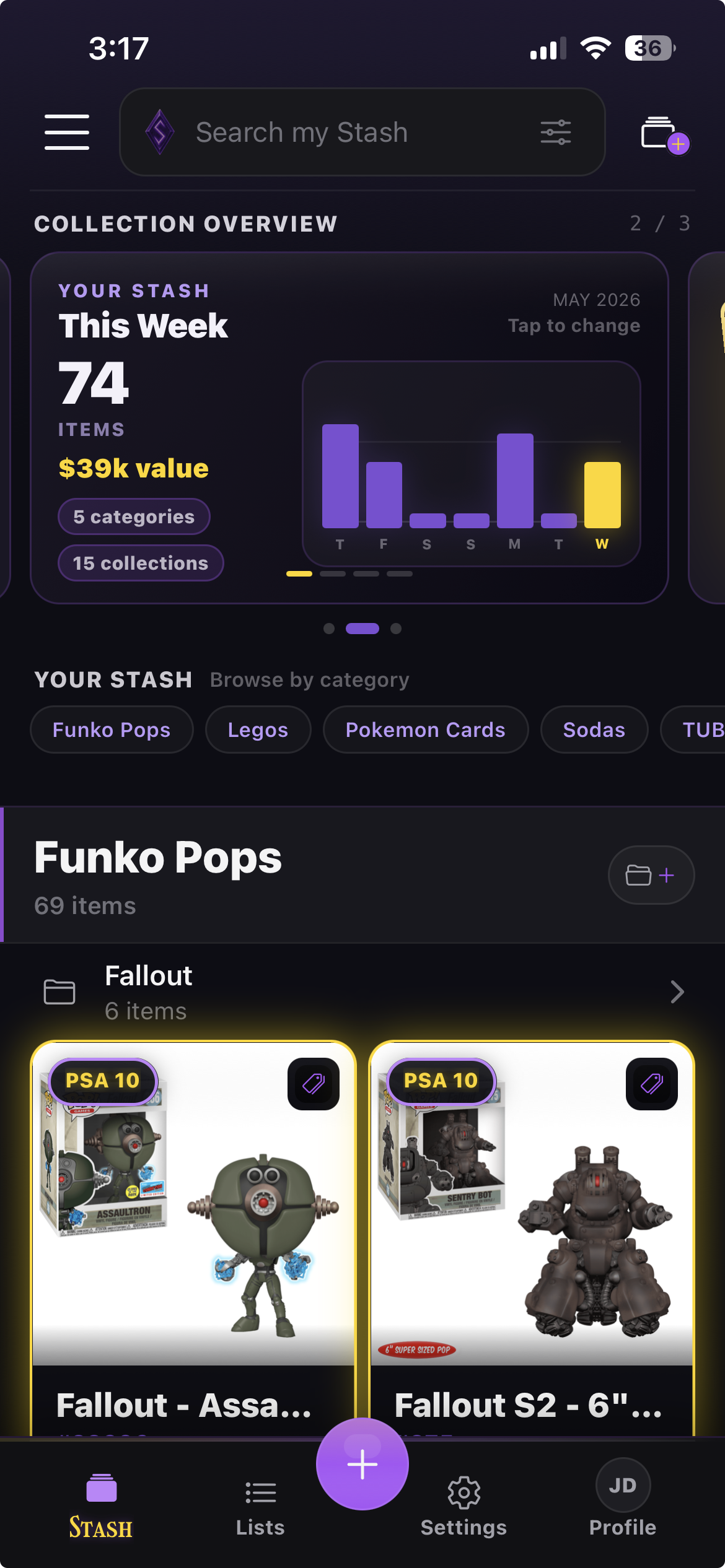
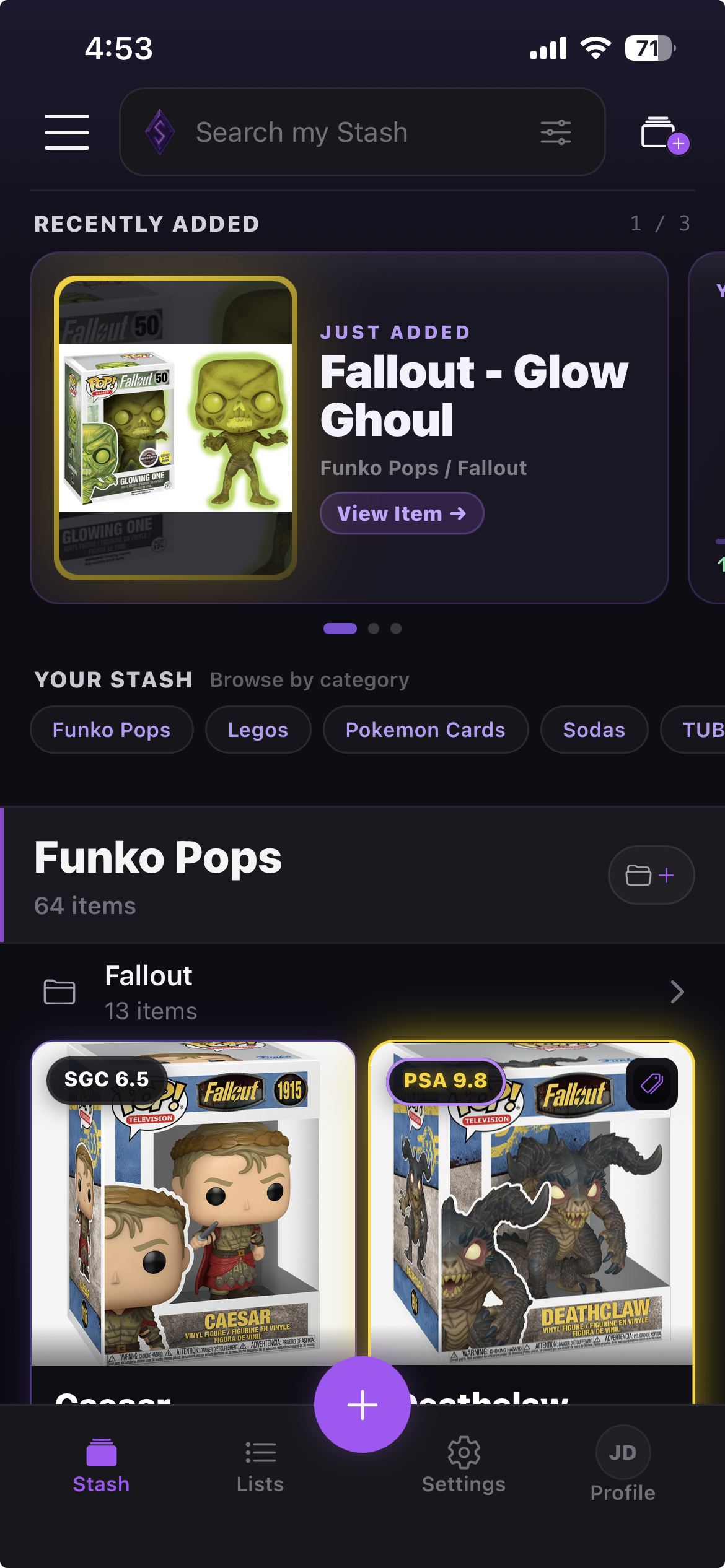
Stash-d app home screen
Rarity Tiersv1.0
Common
Uncommon
Rare
Legendary
Funko PopsPokémon CardsMagic CardsLEGO SetsLEGO MinifigsTUBBZVinyl FiguresTrading CardsBrick SetsCatalog SearchManual AddsMore Catalogs Coming
The Rarity System

Every treasure earns
its place.

Stash-d automatically tiers every item by grade, condition, and market value. Common to Legendary - your best pieces earn their place.

TierI
Common
Ungraded · Standard
Tier ICatalogued
GlowNone
TierII
Uncommon
Near Mint · Verified
Tier IIVerified
GlowPurple
TierIII
Rare
Graded · Authenticated
Tier IIIAuthenticated
GlowTeal
TierIV
Legendary
PSA 10 · Gem Mint
Tier IVGem Mint
GlowGold
Features

Everything a serious
collector needs.

Track. Scan. Import. Organize. Export. Share. Show off. Every detail finally has a place built for collectors.

Track Every Detail

Save photos, condition, grading, purchase info, notes, value, traits, and visibility for every collectible you own.

Photos · grades · notes

Add Items Fast

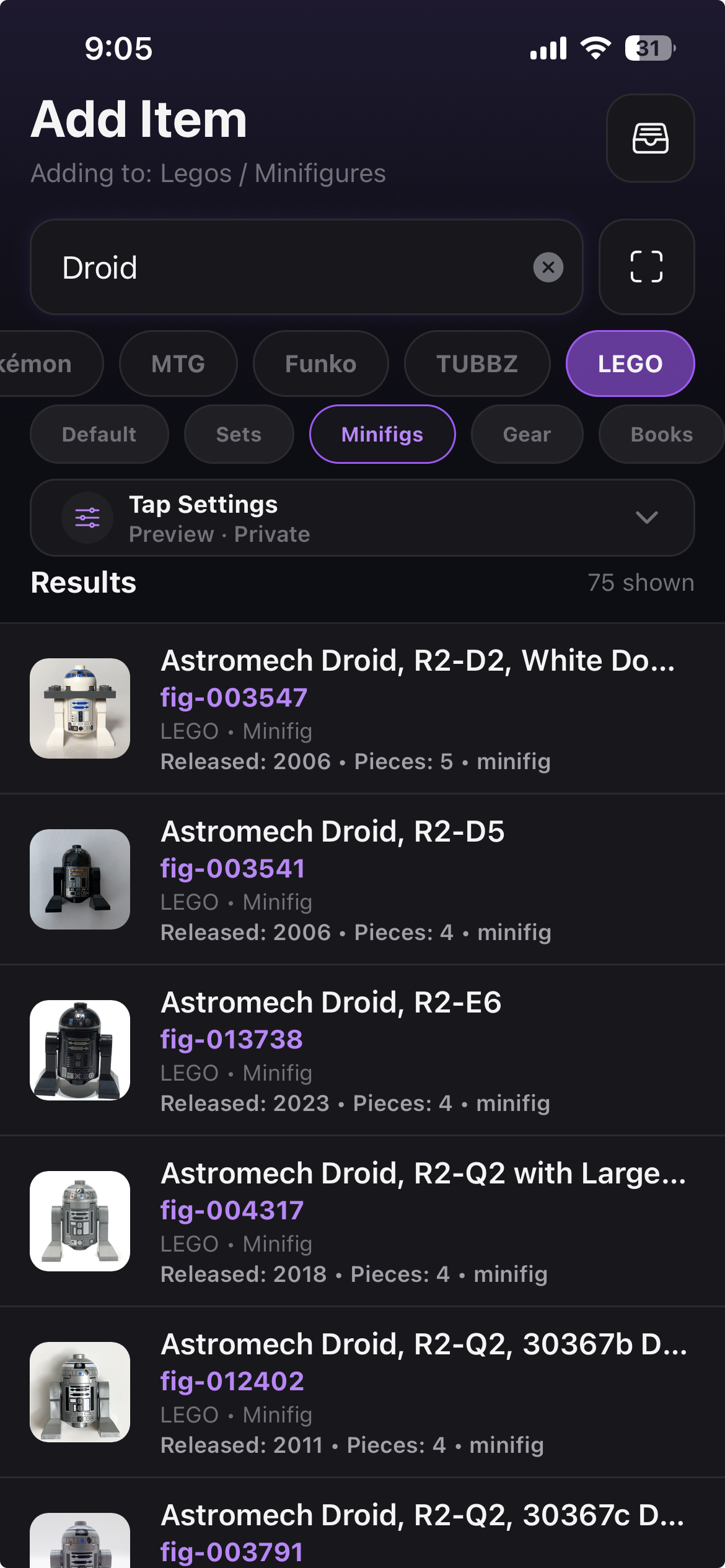
Search catalog sources, scan barcodes, scan card faces, or manually add anything that belongs in your stash.

Achievement Unlocked
Loot Goblin Mode

Share, Gift, and Export

Create public lists, build giftable wishlists, and export polished records as Excel, PDF, HTML, CSV, or JSON.

Share links · Excel · PDF · HTML
Market Comps

Know what your collection
is worth.

Coming at launch: turn your saved items into collection insights. Track estimated value, rarity, growth, and market comps across the collectibles you actually own.

Collection Insights
Estimated Stash Value$2,840

148 items tracked • Updated today

▲ $312 this month
Value TrendJun: $2,840
Market compsManual valuesCollection growth
See It in Action

See Stash-d
in action.

From adding an item to sharing a gift list, Stash-d makes your collection feel organized, visual, and worth showing off.

Add the item screenshot
Item record

Add the item

Search catalog sources, scan barcodes, scan card faces, or add anything manually.

Organize your stash screenshot
Collection view

Organize your stash

Browse categories, collections, rarity, views, and item cards built for collectors.

Show off your collection screenshot
Share page

Show off your collection

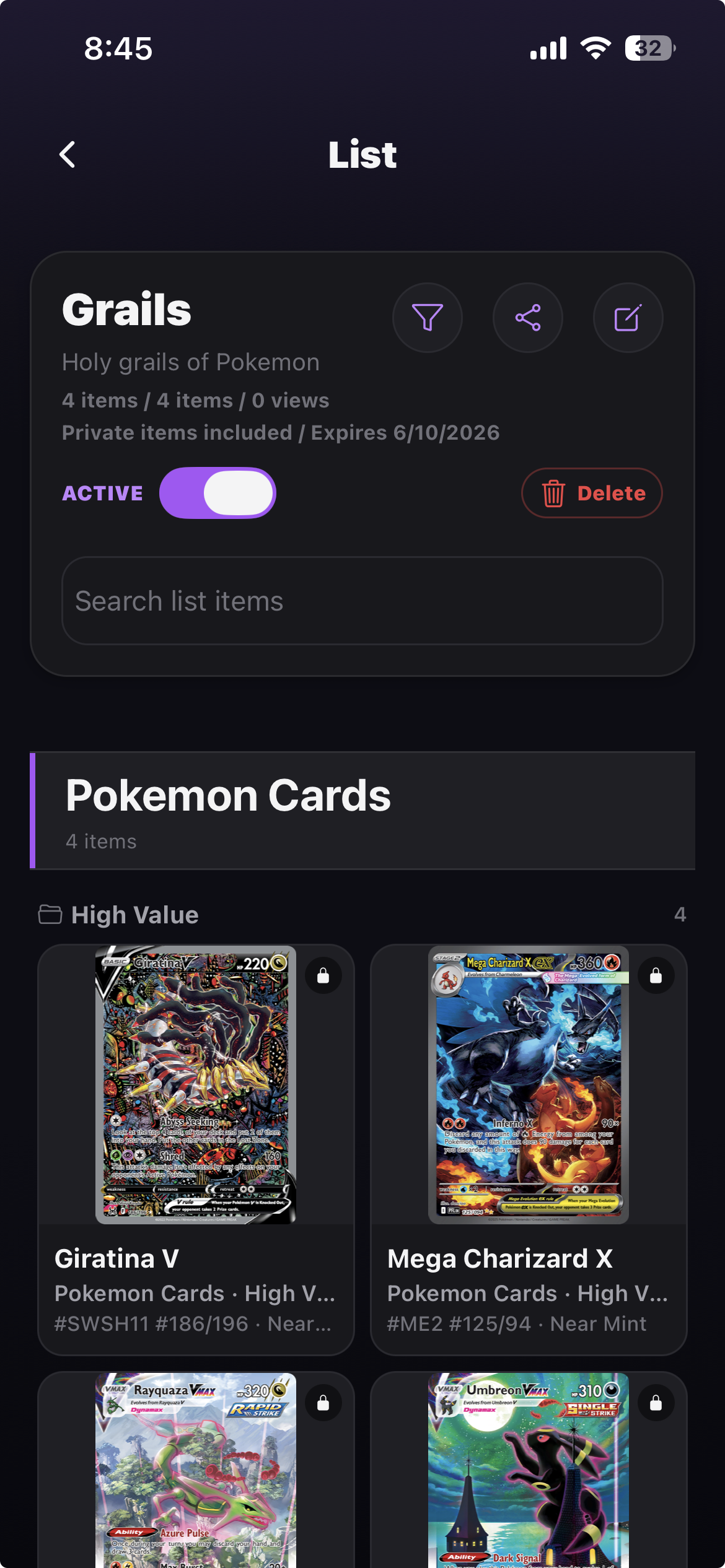
Create shareable lists from categories, collections, or individual items.

Build a giftable wishlist screenshot
Gift wishlist

Build a giftable wishlist

Share wanted items and let friends mark gifts purchased so nothing gets bought twice.

Import your stash screenshot
CSV / Excel import

Import your stash

Bring in CSV or Excel files, review item cards, fix details, and choose exactly what gets added.

Export your records screenshot
CSV / HTML / PDF / Excel / JSON

Export your records

Create polished inventory files for insurance, spreadsheets, backups, or sharing. Export everything or only the items you choose.

Import Your Collection

Bring your spreadsheet
into Stash-d.

Already track your collection in a spreadsheet? Import CSV or Excel files, review the items Stash-d finds, edit anything that looks off, and choose exactly what gets added to your stash.

Spreadsheet file prepared for Stash-d CSV or Excel import

Upload CSV or Excel

Start from an existing spreadsheet instead of rebuilding your collection item by item.

Stash-d import review showing collectible item cards before importing

Review before importing

Stash-d turns rows into item cards so you can check names, images, categories, collections, and purchase details before anything is added.

Stash-d import review showing duplicate control for imported collectible copies

Duplicates stay in your control

Possible duplicates are skipped by default, but collectors can import another copy when they really own one.

Export Your Stash

Your collection records,
ready whenever you need them.

Export your whole stash or a custom selection of categories, collections, and items. Create beautiful visual reports, printable inventory tables, spreadsheets, or structured backup files without locking your data inside the app.

Stash-d export options showing scope, privacy, and file type controls

Choose exactly what to export

Export everything or pick specific categories, collections, and items. Include or exclude private items before sharing.

Stash-d HTML export report showing grouped collectible item cards

HTML reports for showing off

Create a clean visual report with item photos, category grouping, and collector-friendly details.

Stash-d PDF inventory export showing a printable records table

Excel and PDF for records

Generate organized spreadsheets and printable inventory tables for insurance, review, or backup.

The Quest

From unboxed to catalogued
in seconds.

Three steps. No friction. Just your collection, perfectly tracked.

I

Search, scan, import, or add manually

Use catalog search, barcode scanning, card-face scanning, spreadsheet import, or manual entry.

II

Organize every detail

Add photos, condition, grading, purchase info, notes, traits, and visibility.

III

Share, export, or show off

Create lists, giftable wishlists, exports, and collector profile moments.

The Inventory

Collectors of everything
call Stash-d home.

Catalog search, manual entries, barcode scanning, card-face scanning, and flexible organization for whatever you collect.

Catalog growing daily
Catalog Items
Sources expanding
Searchable Sources
Public sharing live
Public Shares
Giftable wishlists live
Shared Items
Vinyl Figures
Catalog-ready
TCG Cards
Set details
Brick Sets
Box notes
Sports Cards
Grade fields
Sneakers
Size tracking
Comics
Issue details
Anime Figures
Shelf-ready
Die-cast Cars
Variant notes
Signed Memorabilia
COA notes
Vintage Toys
Condition notes
Board Games
Edition notes
Coins & Currency
Mint details
Collect. Organize. Share.

BUILD YOUR STASH.

Start tracking your collection, importing spreadsheets, building wishlists, exporting records, and showing off the items that matter.

Coming Soon · iOS & Android · Q3 2026